
Remote fill-level
monitoring, redefined.
Every packwise smart cap signal — level, location, temperature, shock —
turns into a decision you can act on today.
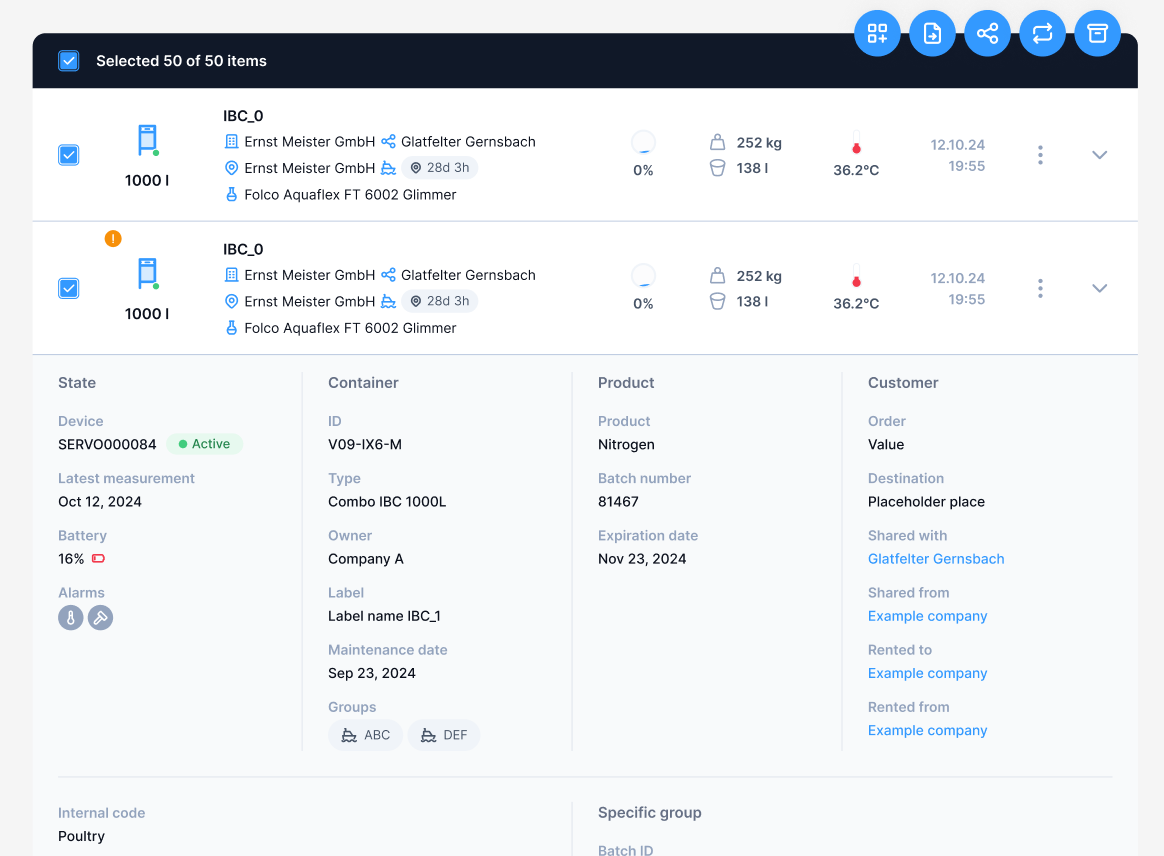
Flow 2.0 brings the map, the measurement data and the analysis into one place — so the answer to "where is it and how full is it"
takes seconds, not a morning.
Built for the future of remote fill-level monitoring.
Every release note below came out of watching customers work — dispatchers, plant managers and supply chain teams.
Faster and more intuitive
Fewer clicks and smoother workflows make everyday tasks quicker.
Larger map view
A new full-screen map gives you a clearer overview of your assets.
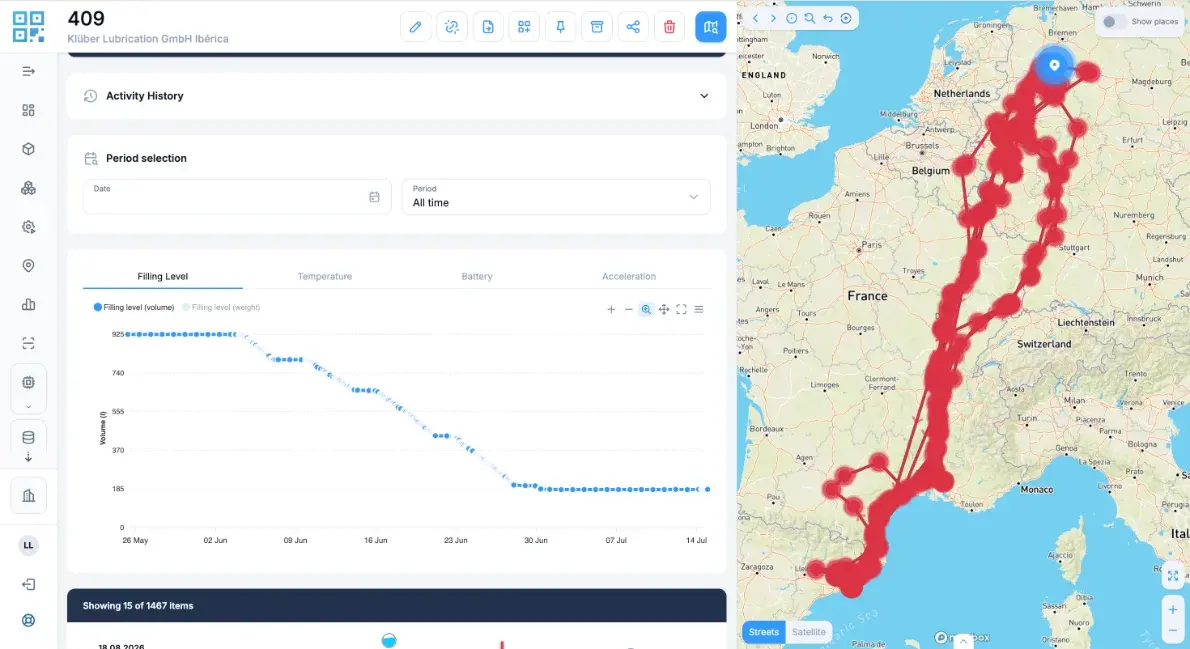
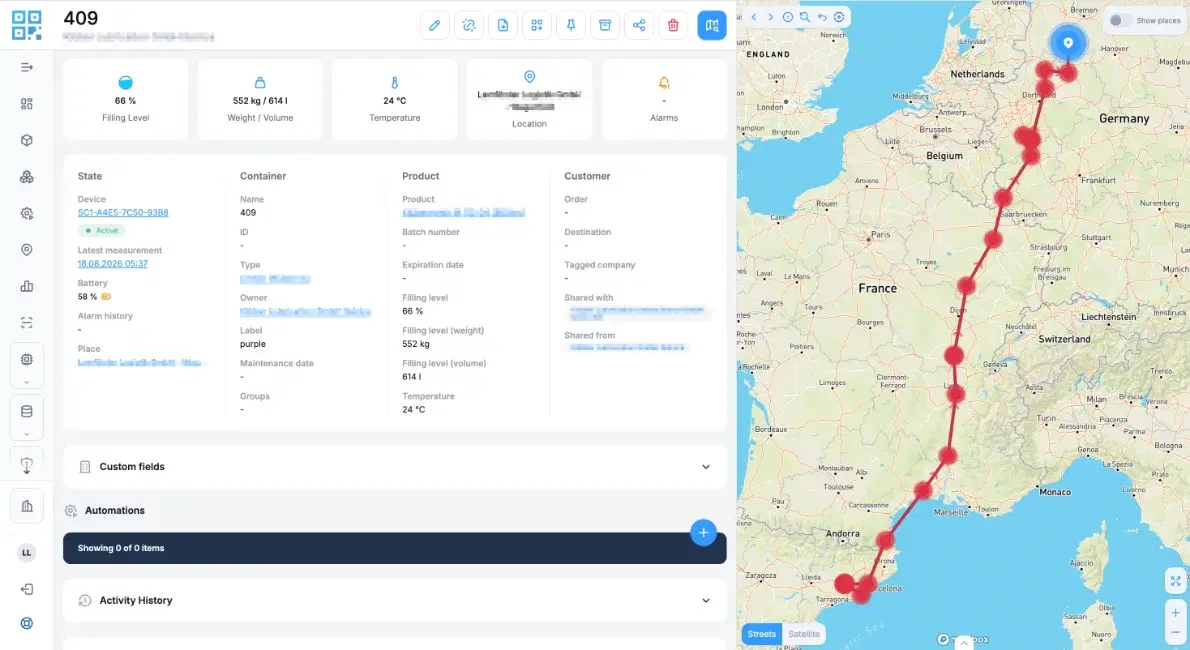
More detailed container routes
See each container's journey in full — every leg, every stop.
New Scan App for iOS and Android
Now in the Apple App Store and Google Play — creating a digital twin has never been easier.
Streamlined toolbar
Cleaner and better organized, so the functions you use most are always one click away.
Multi-Tenancy
Manage users, roles and permissions across multiple organizations and hierarchy levels.
The map is now the workspace
Open the map full screen for a clearer overview of your assets — no side panels competing for the space you need to read a fleet at a glance.
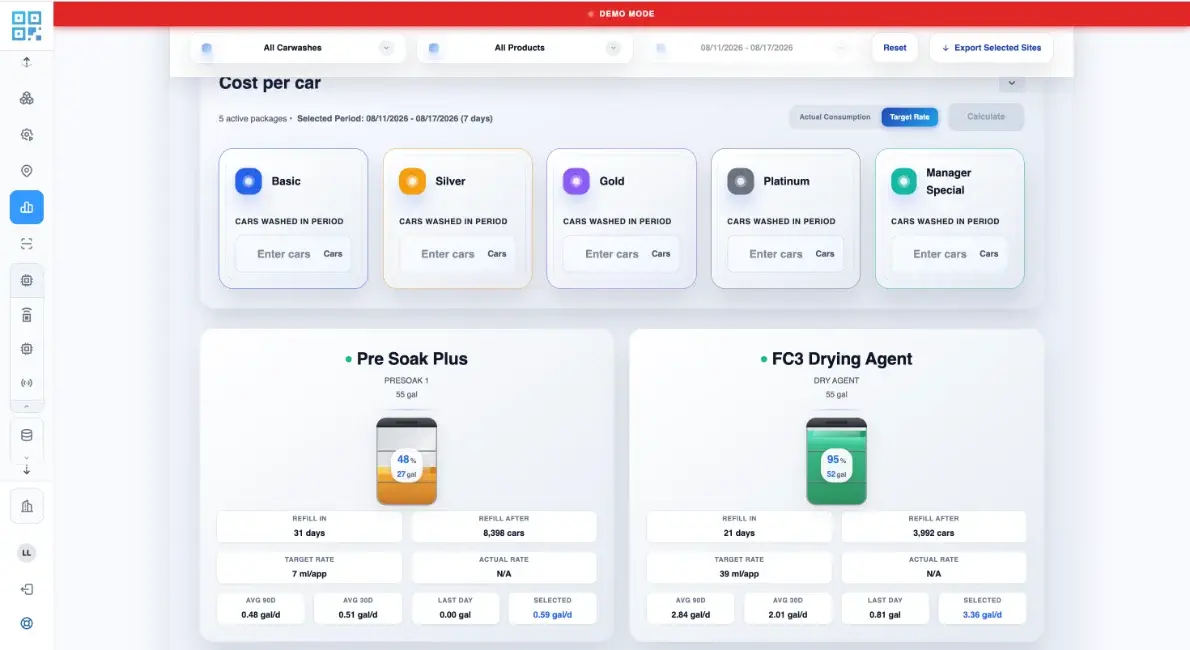
Ready-made analyses, ready to read
The new Analytics section gives you ready-made analyses with deeper insights — no report to build from scratch before you can see what changed.
From notification to automation
Setting up notifications is simpler now — no need to create a group first. Set the condition, name the recipients, done.
Scan it. It exists in Flow.
The new scan app for iOS and Android is now in the Apple App Store and Google Play — creating a digital twin has never been easier.
One consistent experience. Modern, intuitive and optimized for desktop and mobile alike — the same mental model on every screen.
Digital twin in seconds. Scan the code on the container, confirm the master data, and the asset is live in Flow.
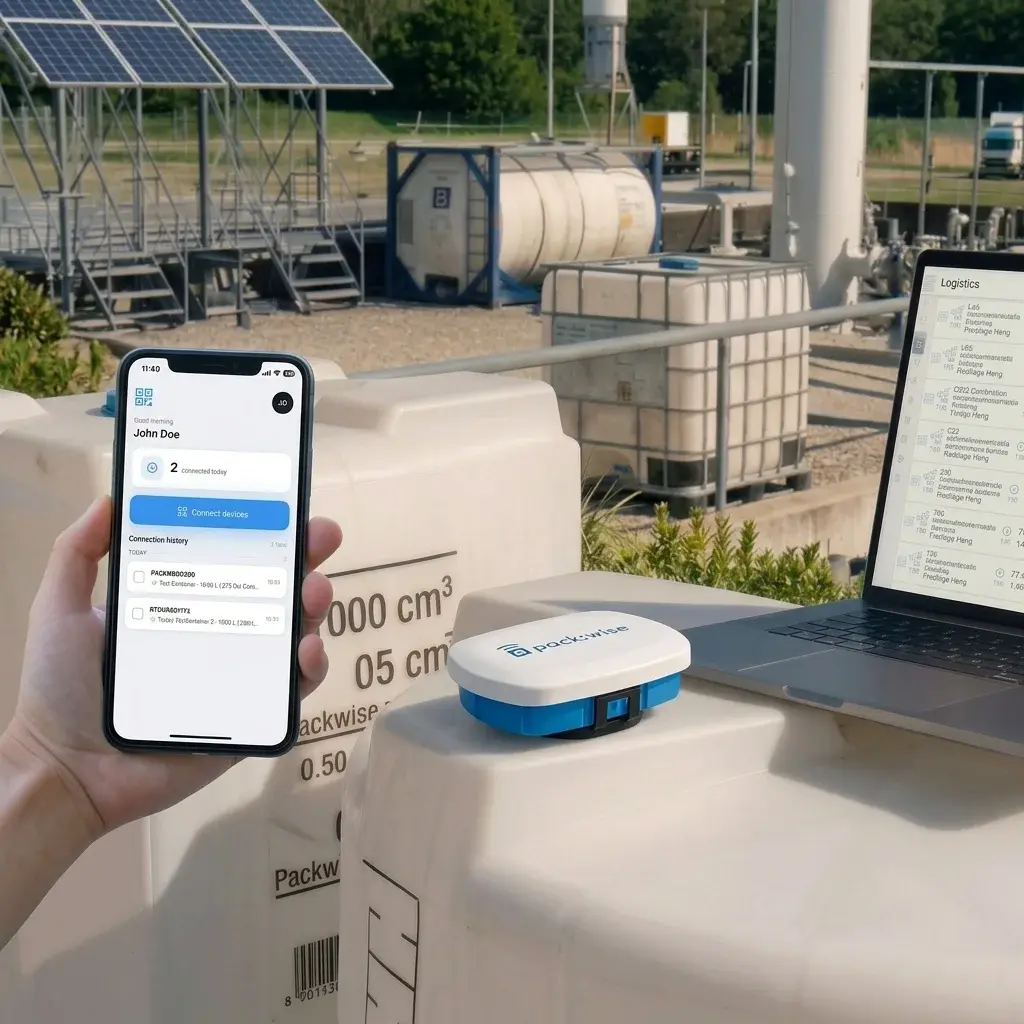
From container to decision in three steps
Equip the container
Clip the Smart Cap onto the standard cap of your IBC and use the Scan App to connect it to the container — its digital twin is created in seconds.
Watch it in Flow
In under a minute the asset is live in Flow — fill level, location, temperature and shock arrive in the full-screen map and container view, with every measurement linked to the journey it belongs to.
Act on it
Ready-made analytics and automated notifications turn a measurement into a refill, a route change or a fleet decision — without anyone watching a dashboard.
See Flow 2.0 on your own fleet
Thirty minutes with a Packwise consultant,
your container data on the screen. No slide deck.